OC Maker — Free AI OC Creator & Anime Character Generator

OC Maker AI turns a text prompt into an original character (OC) in seconds. Create anime OCs, edit them with reference images for a consistent look, and animate your OC into video. OC Creator AI is free to try.

Pick traits or write your own prompt

Style *

Background
Aspect

5 free generations left today · no sign-up needed

Everything you need to make an OC with OC Maker AI

  • Create OC from text: Describe your original character — species, hair, outfit, mood — and OC Creator AI generates polished character art in seconds with Nano Banana Pro or GPT Image 2.
  • Edit OC with references: Upload your OC as a reference image and request changes — new outfit, pose, or style — while OC Maker AI keeps your character consistent.
  • Animate OC into video: One click takes your OC from image to animated clip, powered by MiniMax H3, Seedance, Grok Imagine, PixVerse, and Wan 2.5 with native audio.
  • Style presets & fan makers: OC Creator AI covers Anime, Chibi, Ghibli, Pixel Art and more style chips, plus dedicated makers for Naruto, Sonic, FNAF, Gacha, Warrior Cats, Pokemon and other fandoms.

What creators make with OC Maker AI

Anime OCs, fursonas, D&D characters, VTuber mascots, and fan-community original characters — see what's possible and try the prompt yourself.
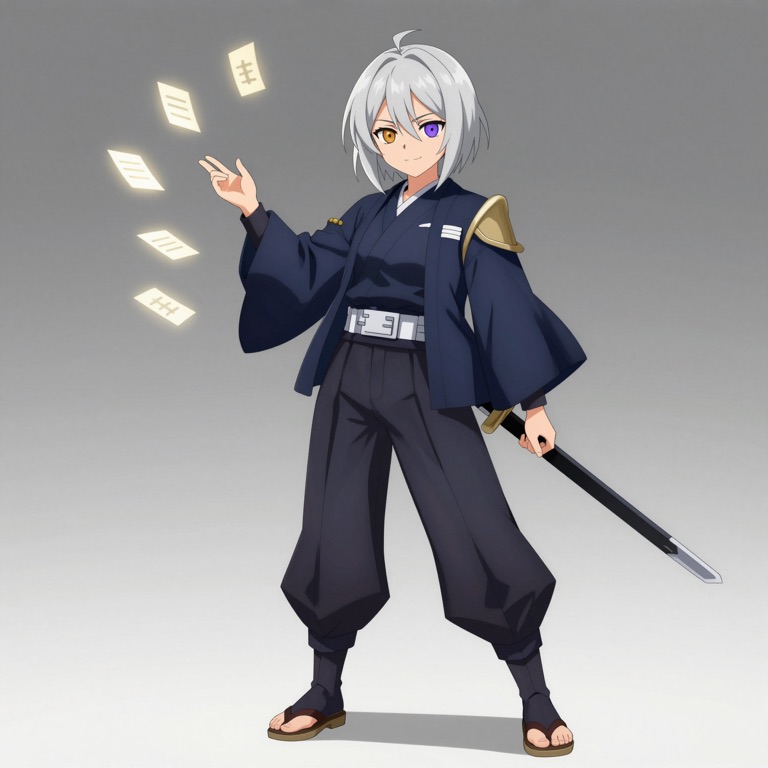
Anime & Manga OCs
Create OC

Anime & Manga OCs

Design original characters for fan communities — describe hair, outfit, and signature details, and generate full-body anime character art in seconds. No drawing skills needed.

Try This Prompt
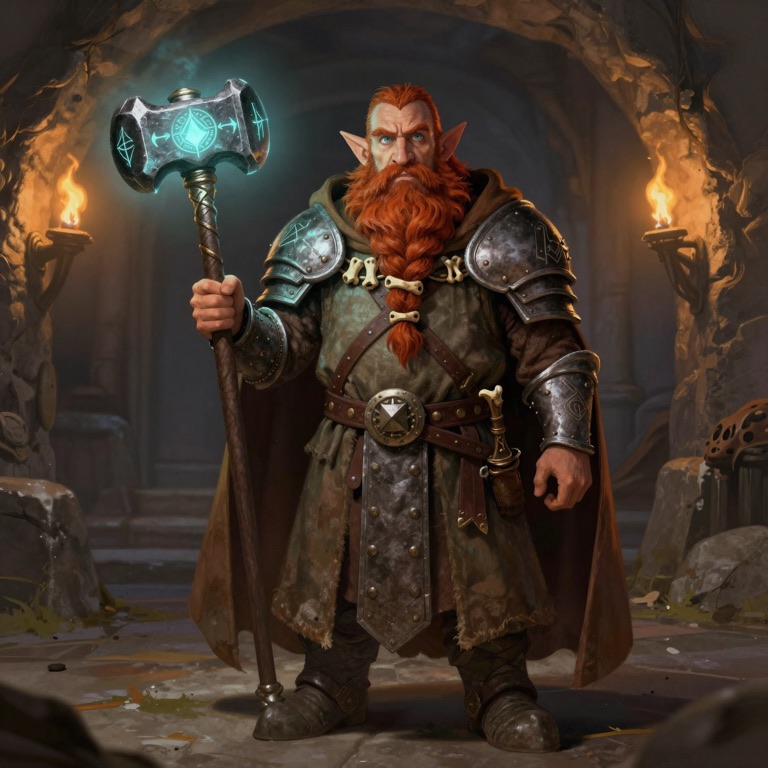
Tabletop & D&D Characters
Create OC

Tabletop & D&D Characters

Turn a character sheet into character art. Describe race, class, armor, and weapons — a tiefling warlock or a dwarven cleric — and get a portrait for your sheet, campaign notes, or group lineup.

Try This Prompt
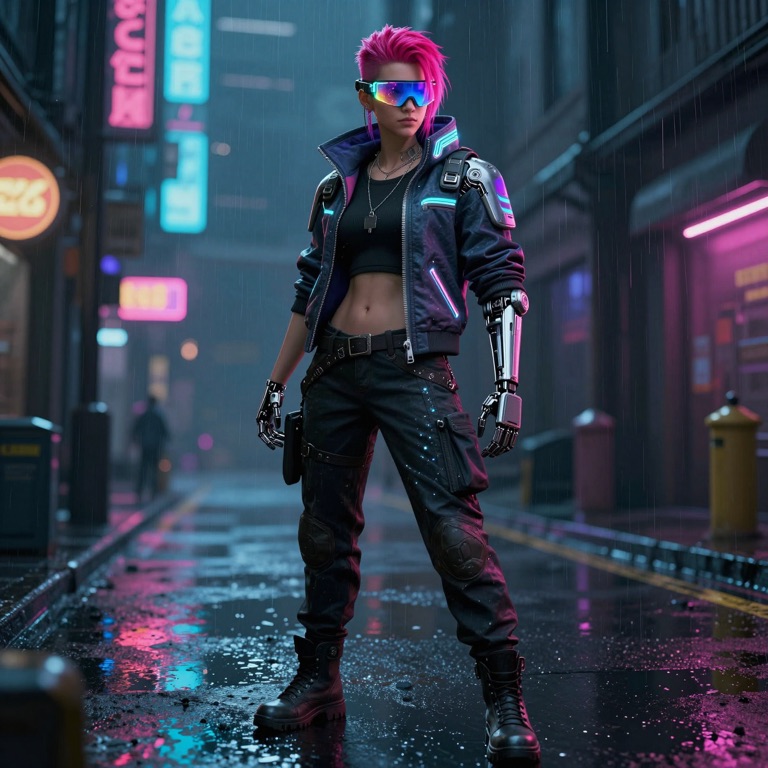
Cyberpunk & Sci-Fi OCs
Create OC

Cyberpunk & Sci-Fi OCs

Build neon-drenched originals — hackers, bounty hunters, android idols. Describe augmentations, techwear, and city vibes, and get a full-body character straight out of a night city.

Try This Prompt

How to Create an OC in 3 Easy Steps Background

How to Create an OC in 3 Easy Steps

01

Describe Your OC

Open the OC maker and start creating — free to try.

02

Generate and Refine

Click Create to render your OC. Make variants, switch styles, or open Edit OC with your image as a reference to perfect the details.

03

Animate and Download

Press Animate on any OC image to generate a video clip, then download your character art and videos or share them to social media.

OC makers for every fandom

Popular OC Makers

Start from a fan-community maker pre-filled with on-style prompts — Naruto, Sonic, FNAF, Gacha, Warrior Cats, Pokémon and more. Each maker opens the full OC tool: generate, edit, and animate.

OC Maker AI FAQ

An OC maker is a tool that helps you create an OC — short for "original character." OC Maker AI is an AI-powered OC maker: describe your character in words and image models generate the character art for you. You can then edit it and even animate it into video, all in the same browser tool.
Yes. New visitors get free trial credits, so you can create your first OC without signing up. When you need more generations or want to save a full gallery, you can register and pick a credit pack — there is no forced subscription.
OC stands for "original character" — a character you invent yourself, common in anime fandoms, fan fiction, VTuber communities, and tabletop games. An OC can be a ninja, a magical girl, a fursona, a D&D hero, or anything you imagine.
Yes — the OC maker doubles as an anime character generator. Style chips like Anime, Chibi, Ghibli, and Manga tailor your prompt to anime art styles, and dedicated makers like the Naruto OC Maker and Demon Slayer OC Maker start from on-style presets.
The OC generator turns your text description into character art using image models such as Nano Banana Pro, GPT Image 2, and Flux Klein. Describe appearance, outfit, and personality; pick an aspect ratio and style; then hit Create. You can generate up to 4 variations at once.
Yes. Switch to Edit OC and upload your generated image (or any artwork) as a reference. Ask for a new outfit, pose, background, or art style — the model keeps your character consistent while applying your changes.
Yes. Every generated OC image has a one-click Animate button that opens the image-to-video mode. Models like MiniMax H3, Seedance, Grok Imagine, PixVerse, and Wan 2.5 add motion, expressions, and native audio while keeping your character on-model.
OC Creator AI supports Anime, Chibi, Ghibli, Realistic, Semi-Realistic, Manga (black & white), Pixel Art, Kawaii, Dark Fantasy, Watercolor, and Furry styles — or describe your own in the prompt for fully custom results.
Picrew-style makers are dress-up games: you assemble a character from pre-drawn parts. The AI generates every pixel from your description, so your OC is unique — any species, outfit, pose, or scene you can write. You can also edit and animate your character, which part-based makers cannot do.
Characters and media you generate can be used for personal projects, social content, and commercial work, subject to our Terms of Service. You are responsible for making sure your prompts and uploads respect the rights of others — fan-community presets are for original characters inspired by a style, not copies of copyrighted characters.

Contact Us

Have questions or feedback? We'd love to hear from you!

Create Your First OC with OC Maker AI — Free

Describe your original character, pick a style, and let OC Creator AI handle the rest. Free trial credits to start — no installation required.